
Microsoft 365
Microsoft's Agent-First Era: What It Means for Your Business
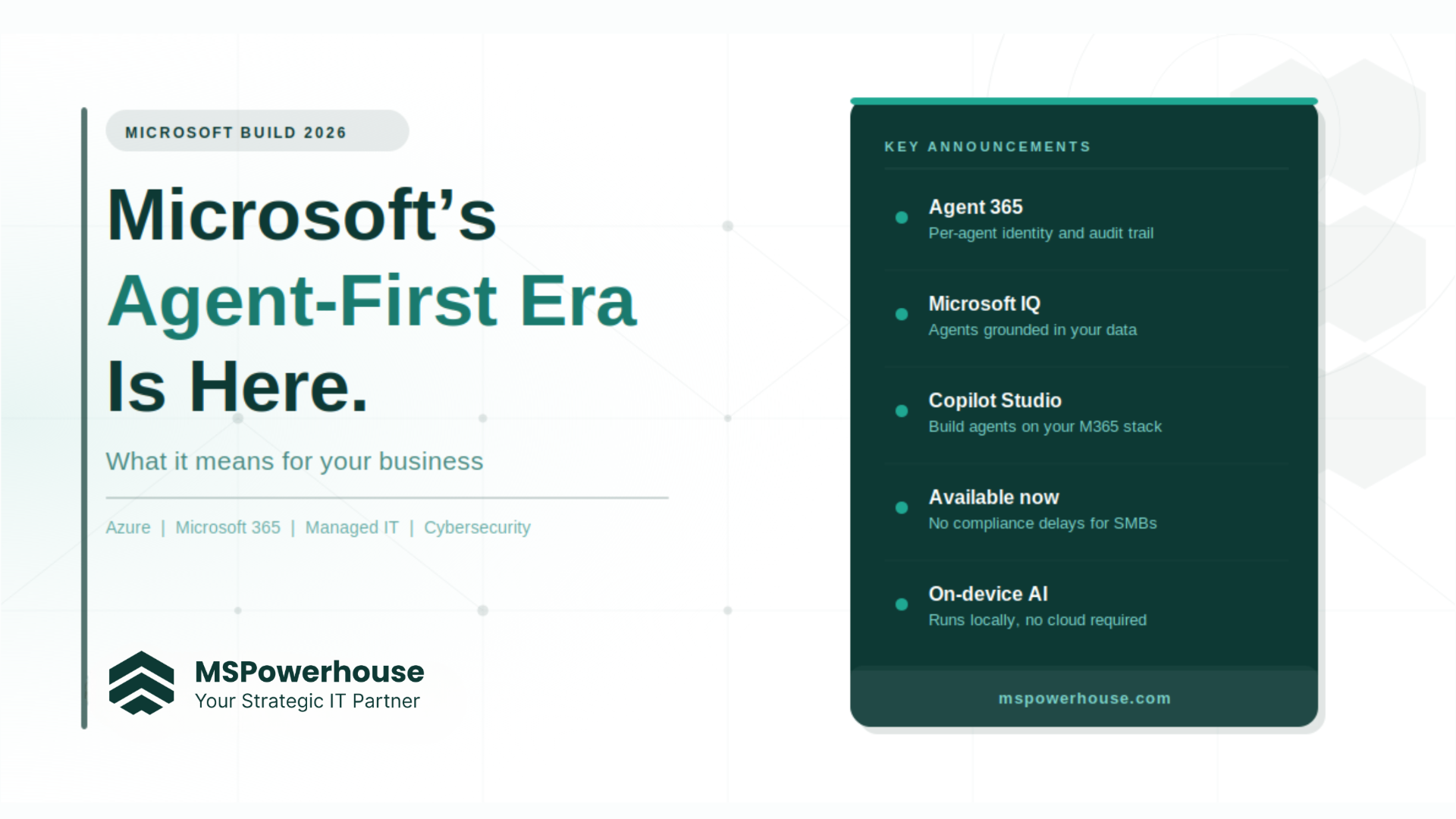
Microsoft Build 2026 happened. Over 100 new capabilities announced in a week. If you skimmed the headlines and moved on, that's fair — most of it sounded like something for enterprise developers and government agencies. But buried in the announcement was a shift that directly affects how your business will use technology over the next two years, whether you're ready for it or not.
The shift: from Copilot answering questions to agents taking action
Until recently, AI in M365 worked like a smarter search bar. You asked Copilot something, it answered. Useful, but passive. The agent-first model is different. An AI agent has a task, tools, permissions, and memory. It acts, logs what it did, and can be supervised or stopped. Think of it as the difference between asking someone a question and assigning them a job.
Microsoft Build 2026 was the announcement that this infrastructure is now real — not theoretical, not three years away. Available now in M365 commercial environments, with the governance scaffolding that makes it safe to deploy. For a business running 50 to 500 people on Microsoft 365, this is a bigger deal than any single product launch in recent memory.
Three announcements that matter for SMBs
1. Agent 365 — every agent has an identity and an audit trail
The reason most businesses haven't deployed AI agents yet isn't that the technology doesn't work. It's that there's no clean answer to "who is responsible when the AI does something wrong?" Microsoft's answer with Agent 365: every agent gets its own Microsoft Entra ID, a permission set you control, and a full audit log of everything it did. The same identity and access framework you already use for employees — extended to agents.
Practically, your IT team can see exactly what an agent touched, when, and why. You can scope it to only the systems it needs and revoke access instantly. That's how you deploy AI without creating a new shadow-IT problem.
2. Microsoft IQ — agents grounded in your business, not the internet
The common failure mode for business AI is hallucination — confident answers from general training data instead of your actual systems, policies, and records. Microsoft IQ fixes this by giving agents a direct connection to your M365 data: email, documents, meetings, SharePoint, and structured business data. Your agents answer from what your business knows.
For a managed IT environment, this means agents can be deployed against your real ticketing history, client documentation, and security policies, without going to the open web for answers.
3. Copilot Studio and the consumption model — you can start small
Microsoft is moving toward a credit-based consumption model for agent work (Copilot Credits), separate from the per-user Copilot license. That's a better model for most SMBs. You're not committing to a full enterprise rollout — you run a specific workflow, measure what it costs and what it saves, and scale from there. The barrier to starting is much lower.
What SMBs can actually do with this right now
The public sector and enterprise world will spend the next year on compliance frameworks and procurement cycles. You don't have to. Four workflows where Microsoft agents on your existing M365 stack can deliver real value in the near term:
- IT helpdesk triage. An agent monitors incoming tickets, categorizes them by urgency and type, pulls relevant documentation, and drafts a response or escalation path. Your technician reviews and approves.
- Security alert routing. An agent connected to Microsoft Defender surfaces alerts, cross-references known patterns, and routes genuine threats to your team while filtering noise.
- Onboarding and offboarding automation. An agent handles M365 license assignment, SharePoint access, and checklist management when someone joins or leaves.
- Contract and document review assistance. An agent grounded in your SharePoint pulls relevant precedents, flags missing clauses against your templates, and summarizes documents for review.
None of these requires custom development. They run on Copilot Studio, M365 Copilot, and the agent framework Microsoft has now made generally available.
The catch: you need the foundation first
Agents are only as reliable as what they're grounded in. If your M365 environment has mismanaged permissions, data scattered across personal drives, stale SharePoint sites, or no clear ownership of documentation, your agents will reflect that mess.
The organizations that move fast on this are the ones that already have their Microsoft environment properly structured: clean identity and access management, well-organized SharePoint, licensing matched to actual usage, and a managed IT partner who can configure and monitor what gets deployed. The ones that struggle treat agents as a shortcut around that foundation.
What MSPowerhouse does here
We're a Microsoft Partner based in Stafford, VA, specializing in Azure, M365, managed IT, and cybersecurity for US businesses with 50 to 500 employees. Configuring M365 environments properly, managing identity and access, setting up monitoring and security controls — that's the foundation you need before you can safely deploy agents. We're not selling you an AI project; we're making sure the platform it runs on is trustworthy.
Frequently asked questions
What is Microsoft's agent-first era?
AI in Microsoft 365 has shifted from answering questions to taking real action. Agents now have their own identity, permissions, and audit trails — they complete tasks, not just respond to prompts.
Do I need a big budget to start using Microsoft AI agents?
No. Microsoft's new Copilot Credits model lets you run one workflow, measure results, and scale. You don't need an enterprise rollout or a dedicated AI team to get started.
What is Agent 365?
Agent 365 gives every AI agent its own Microsoft Entra ID, defined permissions, and a full audit log — so you always know what the agent did, when, and on what data.
What is Microsoft IQ?
It connects your agents to your actual M365 data — documents, emails, SharePoint — instead of the open internet. This stops hallucinations and keeps answers grounded in your business.
Are these features available now for my business?
Yes. Unlike government customers who face compliance delays, commercial SMBs can access most Build 2026 features in M365 right now.
What do I need in place before deploying agents?
Clean M365 foundations: organized SharePoint, managed identities in Entra ID, and proper license assignments. Agents reflect whatever is already in your environment.
How can MSPowerhouse help?
We audit your M365 environment, fix the gaps, and set up the identity and access controls that make agent deployment safe. Start with an environment assessment — reach out to the MSPowerhouse team.